The Audit That Caught ItA shipped interface, a generated studio, and two numbers that quietly changed
This is a real production run of the Brand-Exact Composite playbook, start to finish, with nothing tidied up afterwards. The same asset went through two models. One reproduced every one of 33 strings exactly. The other reproduced 30, and silently changed a fader from 80 to 60. Both images look finished. Only one is true — and the difference is invisible until somebody reads the numbers back.
The brief what the marketer actually has
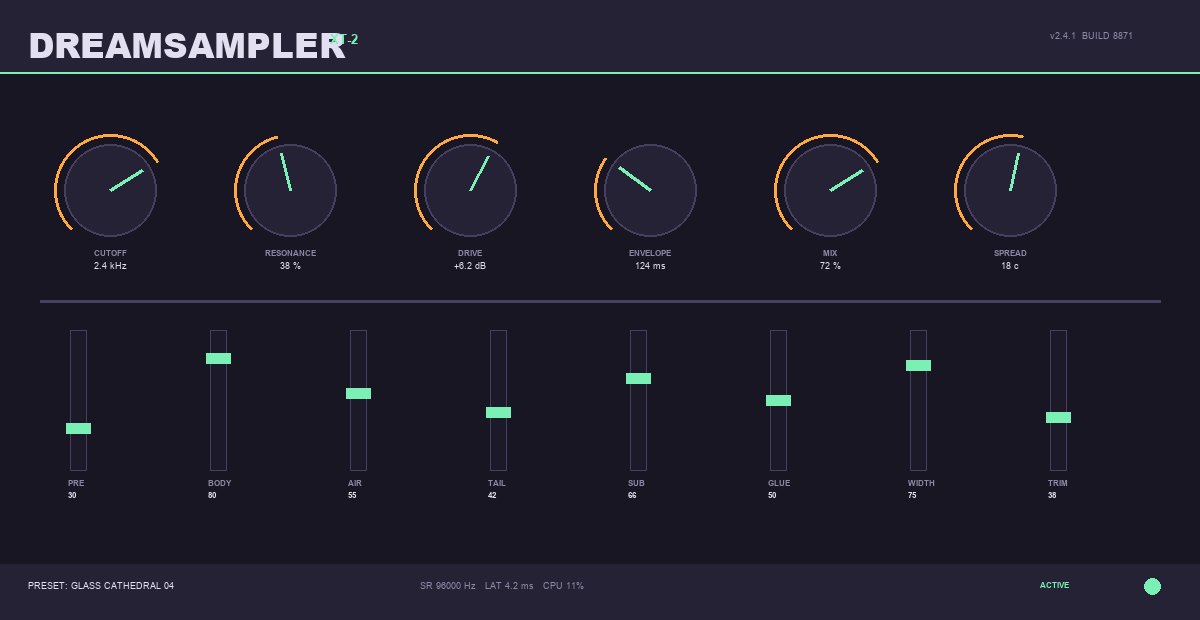
A product marketer has two things: a real interface they ship, and no photograph to put it in. The interface is covered in 8px labels and a wordmark, and every one of those characters is a claim about the product. Ask any image model to "put our plugin on the screen" and it invents a plugin — convincingly enough that nobody checks.
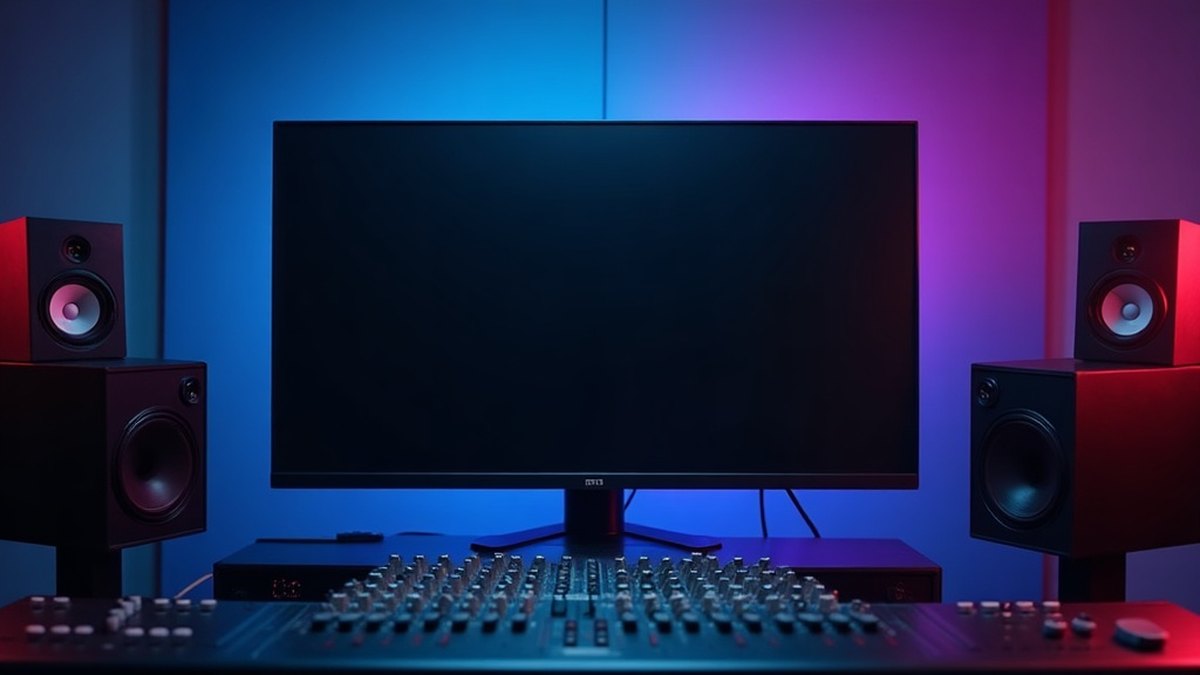
flux-dev, 16:9, $0.026, 4 seconds. The screen is deliberately empty — a plate with something already on it fights the asset.The composite two references, one call
The plate goes in first, the asset second, and the prompt refers to them by position. This is the call create_media cannot express — it models exactly one image, so a second reference has nowhere to go. run_capability with inputs.image_urls: [plate, asset] is the verb that carries both.
The audit the gate that earns its place
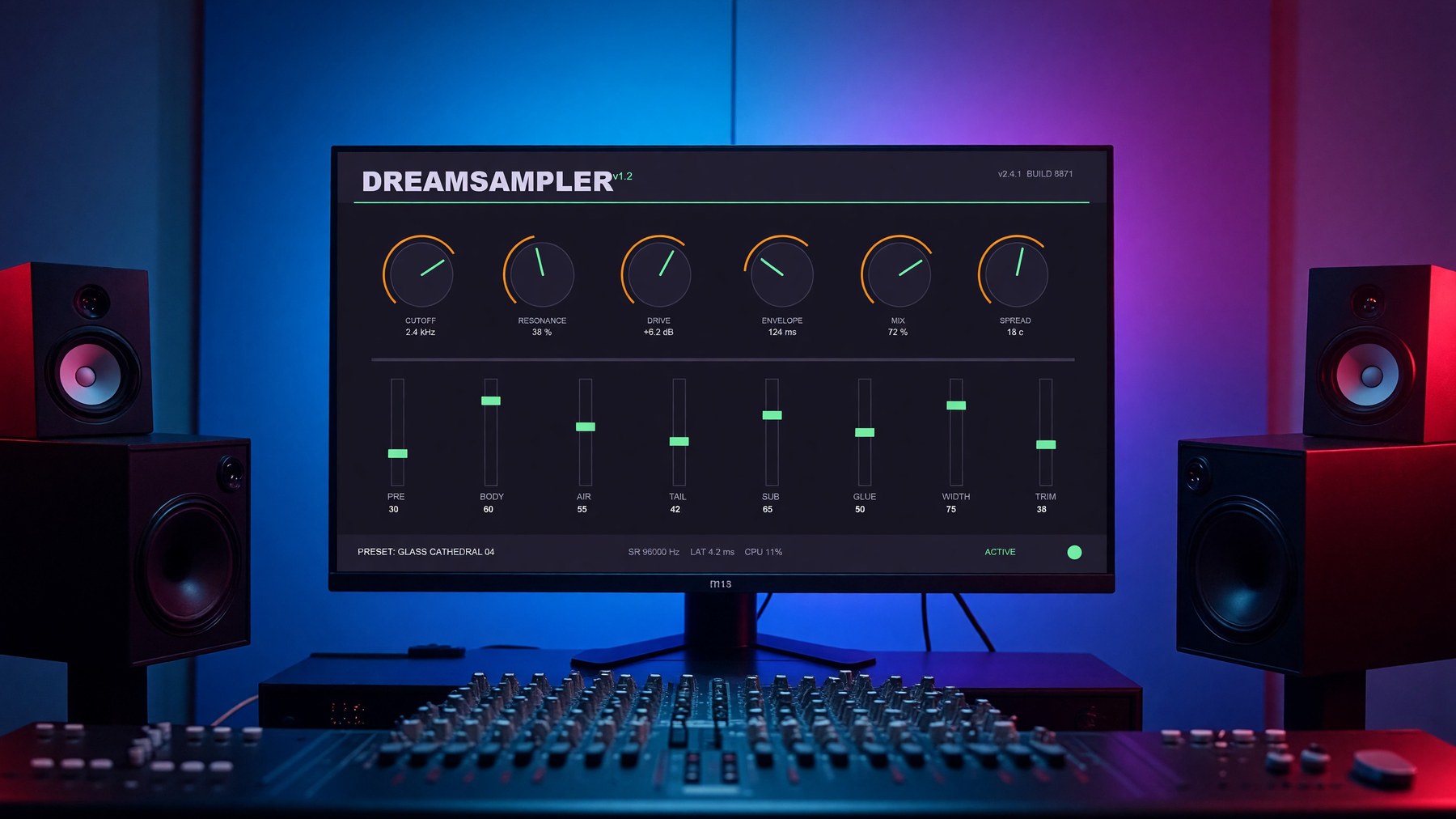
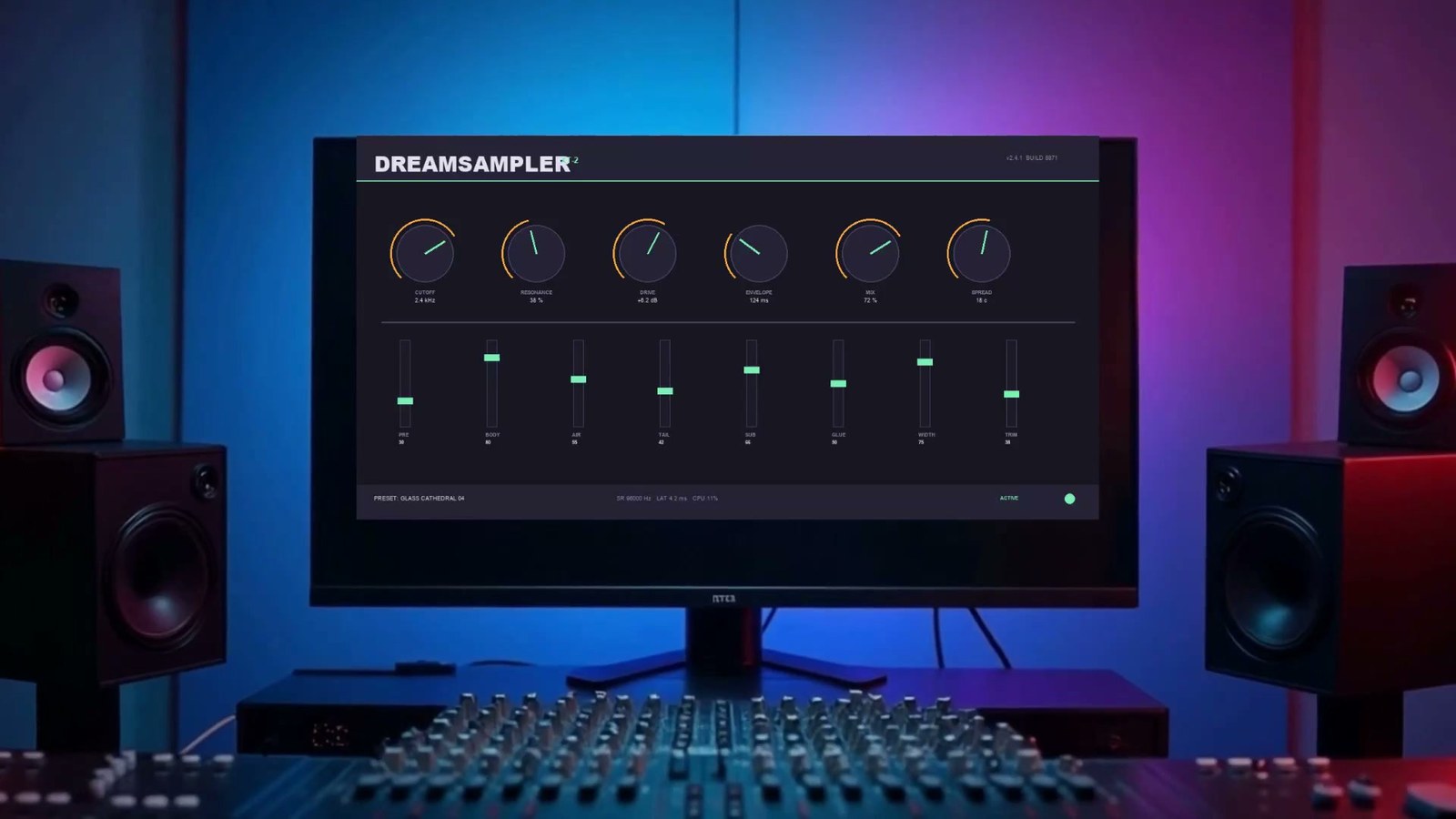
Two runs of the same brief, on two models, against the same asset. The playbook checks all 33 strings at full resolution — not a glance at a thumbnail, because downscaling both invents and destroys characters.
Every label, every value, the wordmark, the build string, the status bar. Wrapped onto a curved monitor in correct perspective.
BODY 80 → 60, SUB 66 → 65, and the XT-2 badge became v1.2 — an invented version number on a product image.
The same model, the same prompt, a different plate. That is the honest shape of the risk: it is not a model you can label unreliable and avoid. It is a per-render property you have to check per render.



Nothing in the response flags any of this. The job returned ok: true, a URL, and a cost. A drifted value is indistinguishable from a correct one at the API surface — which is exactly why the playbook makes the audit a gate the user answers, not a checklist they can skim past. The trademark check sits in the same step for the same reason: on an earlier run, a model asked for a blank screen filled it with four real competitor product names that were never in the prompt.
The lock when "almost right" isn't a category
The audit failed, so the playbook routes to the deterministic path. The approved plate becomes a short clip, and the actual file is laid over it as a real image layer — inlined into the overlay as a data: URI, positioned with CSS, composited by headless Chromium. No model redraws anything.

The keystone what a user's feedback closed
A flat rectangle on an angled screen was the last honest reason to prefer the route that can change your numbers — and a user named the fix precisely: "it needs to be compositing an actual keystoned image. If you regenerate a product image with an AI model, it will inevitably cause problems with text strings, border radii, etc." They were right on both halves.
A screen photographed from one side is not a rotated rectangle: its two vertical edges are different lengths. No rotation can produce that, which is why the geometry gap was quietly pushing people onto the generative path for assets that must never be regenerated. It takes a projective map — four corners in, four corners out.
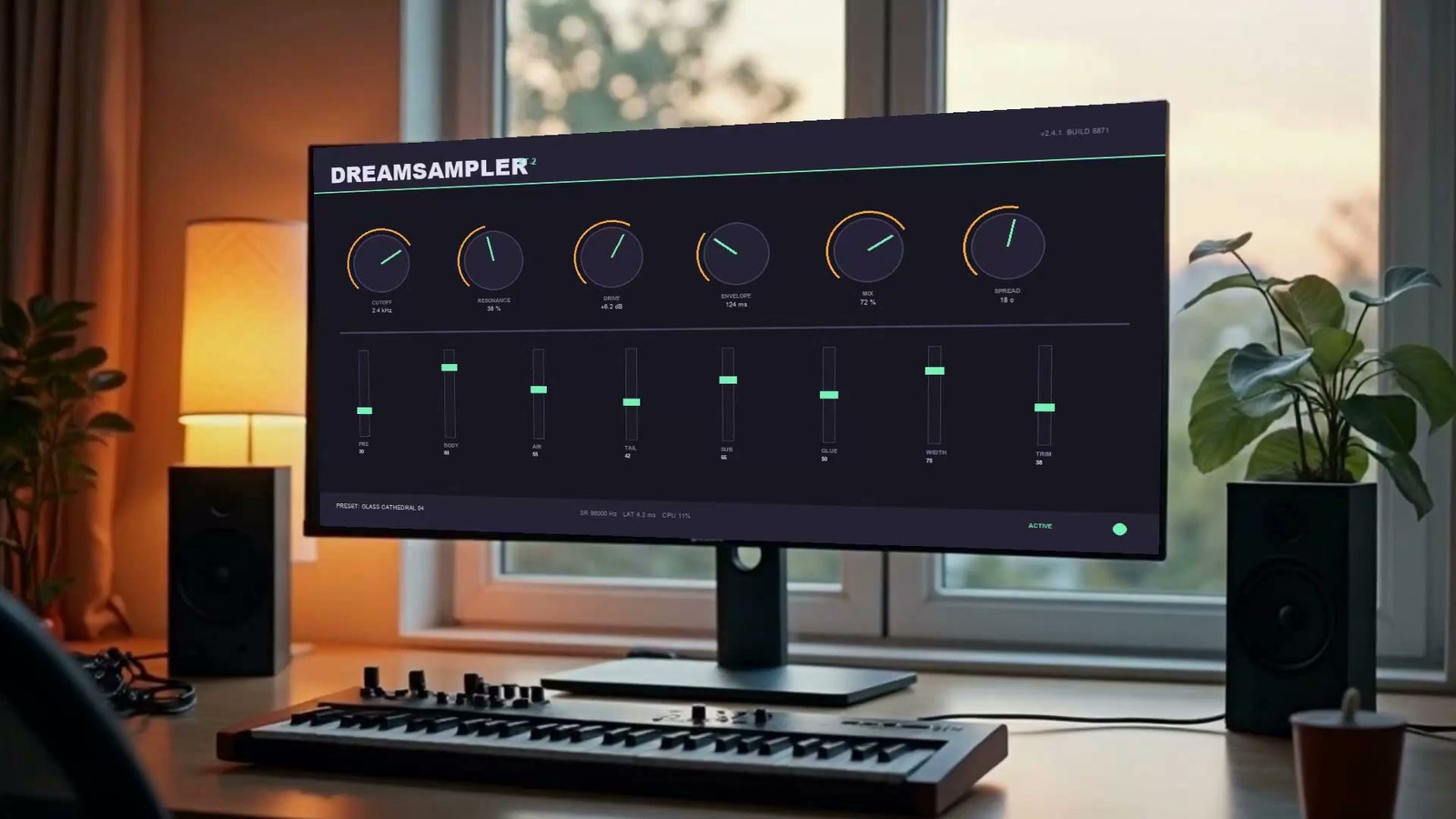

So the choice is no longer "exact but flat" versus "believable but wrong". It is now decided by what the asset is: anything carrying text gets composited, and the generative pass is reserved for shape-led marks where its relighting is worth having. The playbook was reordered to match — the composite is the default and the generative pass is the alternative, rather than the other way round.
One more thing that run taught us, which is now in the playbook: asking the plate model for "a flat matte screen, not curved" got a curved monitor anyway. You cannot prompt your way to a flat screen, so the compositor has to be able to bend — which is why curve_deg exists alongside the corners.
Which exposed the case neither transform covered alone. A curved monitor is essentially never square to camera, so a real product shot needs a keystone and a bend at the same time — and the two cannot simply be nested, because a projective parent transform flattens 3D children. The fix subdivides the screen quad and gives every slice its own projective map: a mesh warp.
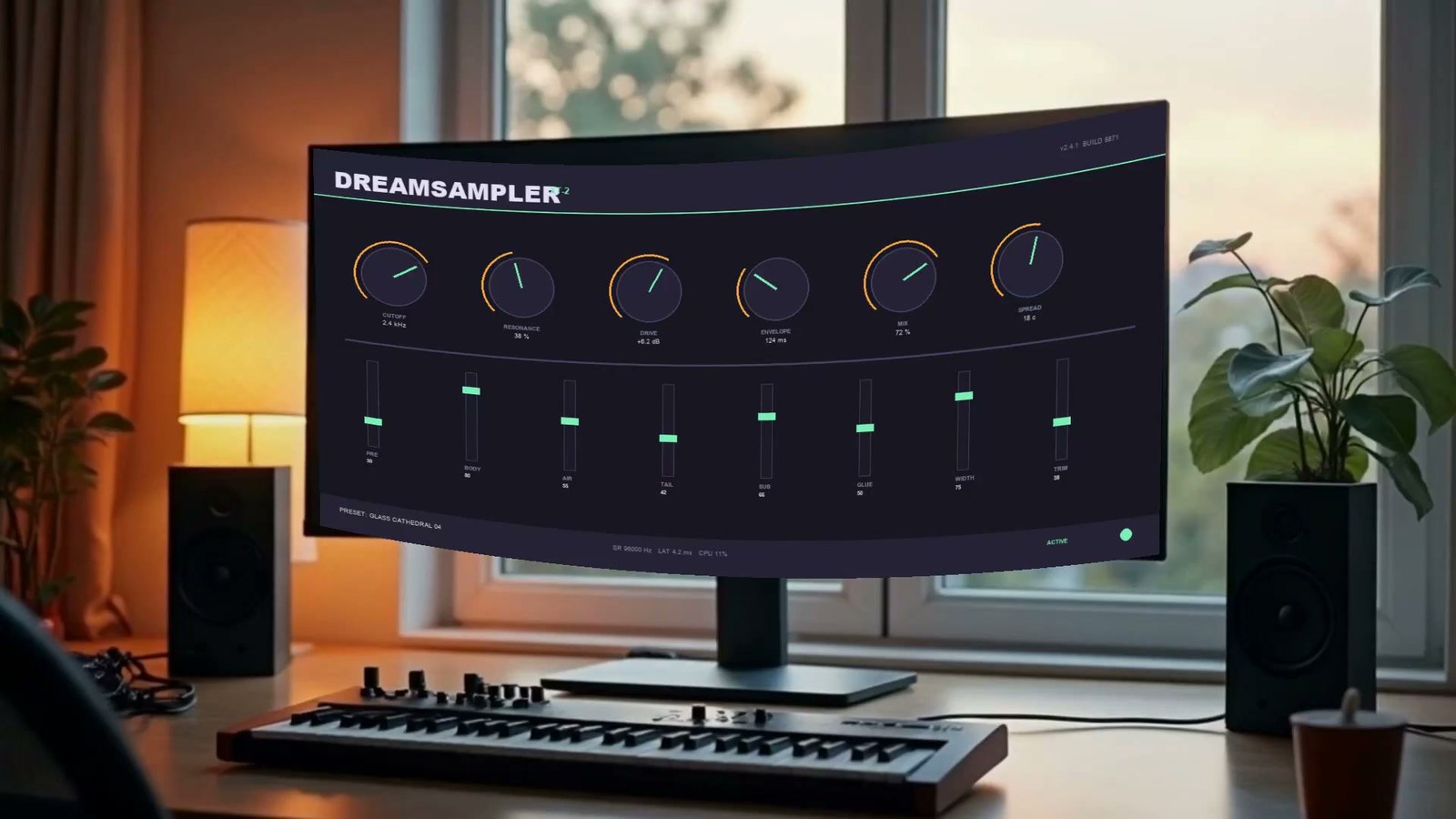
PRE 30 · BODY 80 · AIR 55 · TAIL 42 · SUB 66 · GLUE 50 · WIDTH 75 · TRIM 38, all exact at full resolution.The bow is not a separate control — it is the arc's sagitta over the quad's own width, so curve_deg means the same thing whether the surface faces the camera or not, and it is applied along each edge's normal so it survives a screen rotated in frame.
What it cost the whole run
| Step | Capability | Cost | Time | Result |
|---|---|---|---|---|
| Plate | flux-dev | $0.026 | 4s | blank screen ✓ |
| Composite | grok-image-2-edit @2k | $0.095 | ~90s | 30/33 — audit failed |
| Animate plate | ltx-i2v | $0.341 | 153s | 5s clip ✓ |
| Exact overlay | hyperframes-render | $0.100 | ~60s | pixel-exact ✓ |
| Total | $0.562 | ~9 min |
A run that passes the audit at step 2 stops there and costs $0.12. The extra $0.44 here is the price of the miss — and of finding it before it shipped rather than after.
Run it yourself
- Open the Brand-Exact Composite playbook and fill in the eight-line brief.
- Paste the whole file into Claude cowork, chat, or Code with the Livepeer Agent MCP attached.
- Answer six one-word questions. The one that matters is step 4: ship or lock.
You end with an image and a sign-off sheet whose audit table is the argument you hand to whoever approves brand assets — here is one from the passing run.